Review and approve transactions
Select the Approve check icon in a transaction's row, or use the bulk bar to approve, flag, or exclude several transactions at once. Each transaction shows a review status of Unreviewed, Approved, Flagged, or Excluded.
Work through your transactions and approve, flag, or exclude each one.
Steps
- Open the transactions for your client.
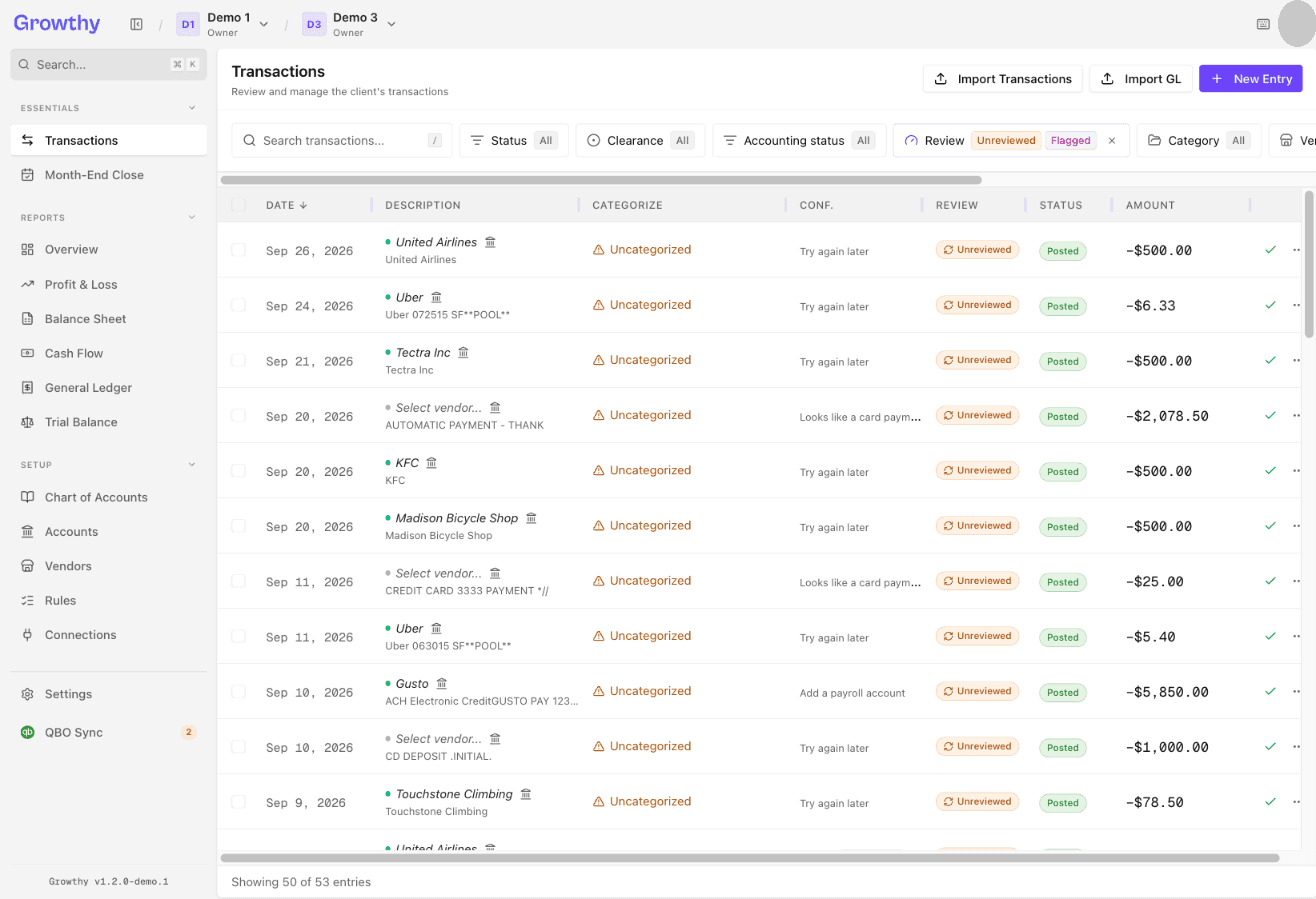
- To approve a transaction, select the Approve check icon in its row.
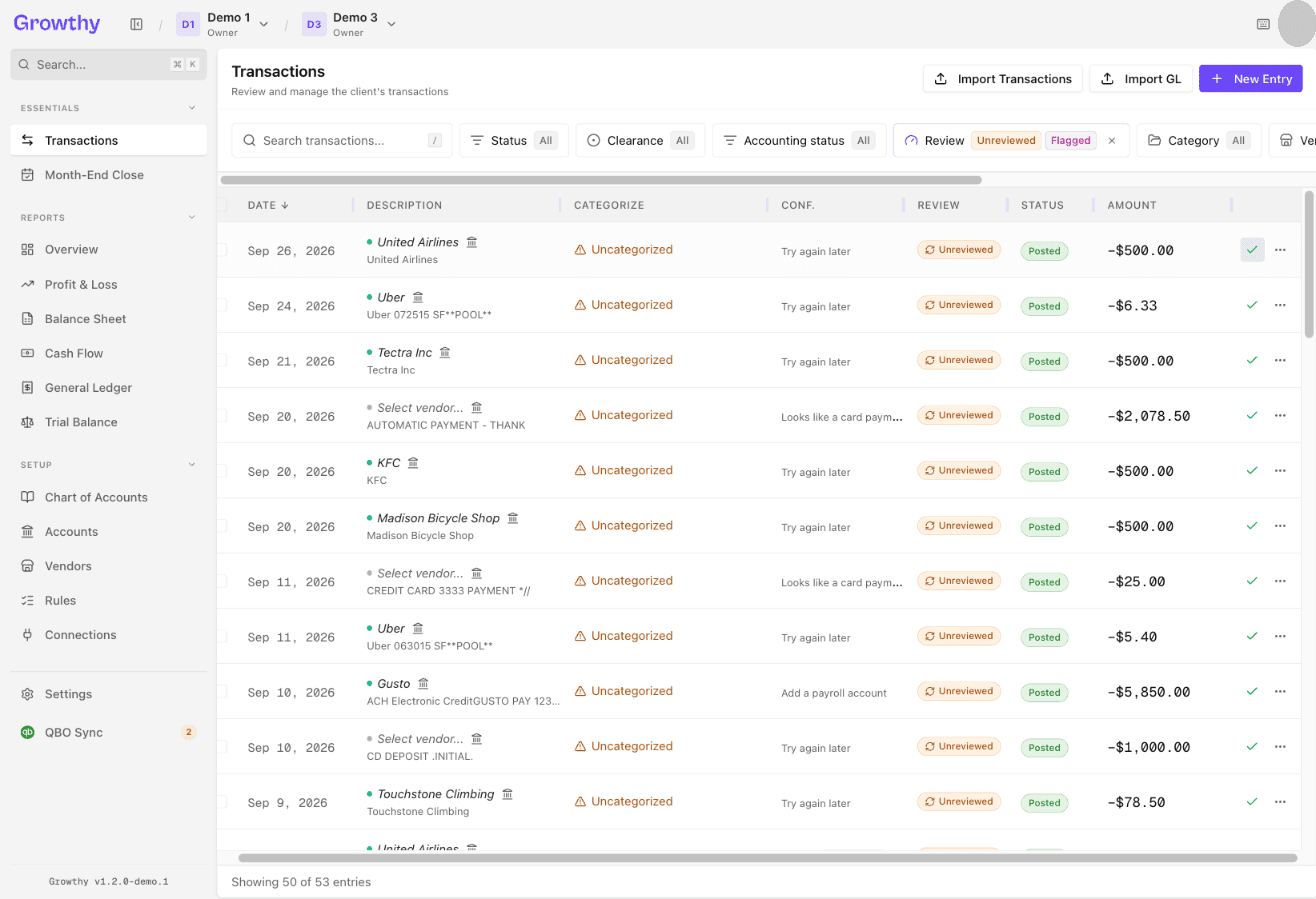
- To set a transaction aside to revisit, select Flag from its row menu.
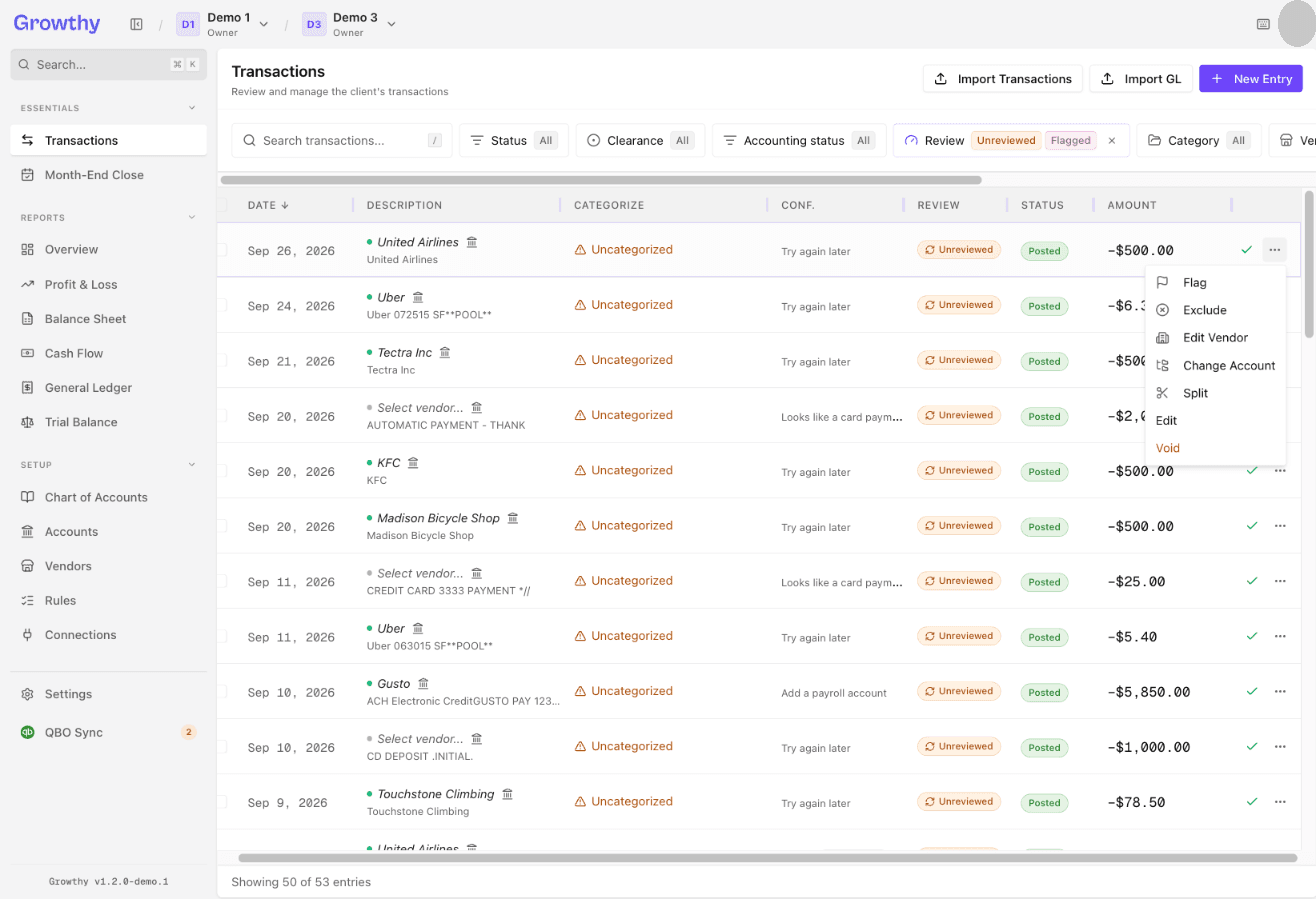
- To exclude a transaction, select Exclude from its row menu.
- To act on several transactions at once, select them and use the bulk bar's Approve, Flag, or Exclude actions.
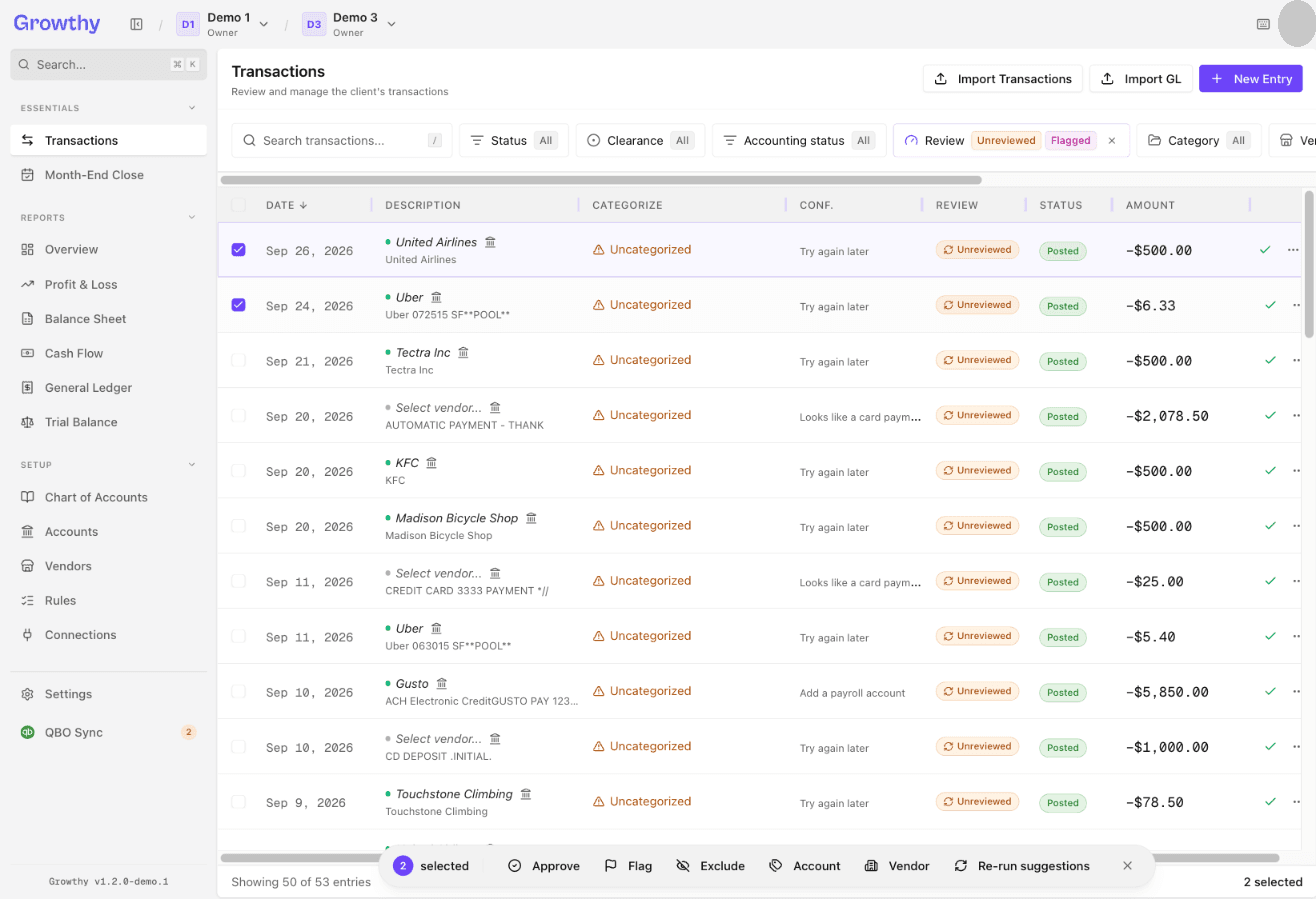
Each transaction shows a review status of Unreviewed, Approved, Flagged, or Excluded. This is separate from its accounting status of Pending, Posted, or Voided.
Was this helpful?