Correct a transaction category
Open a transaction and use the Category picker to change how it's categorized, or select Change Account from a transaction's row menu.
Fix a transaction's category when Growthy gets it wrong.
Steps
- Open the transaction you want to correct.
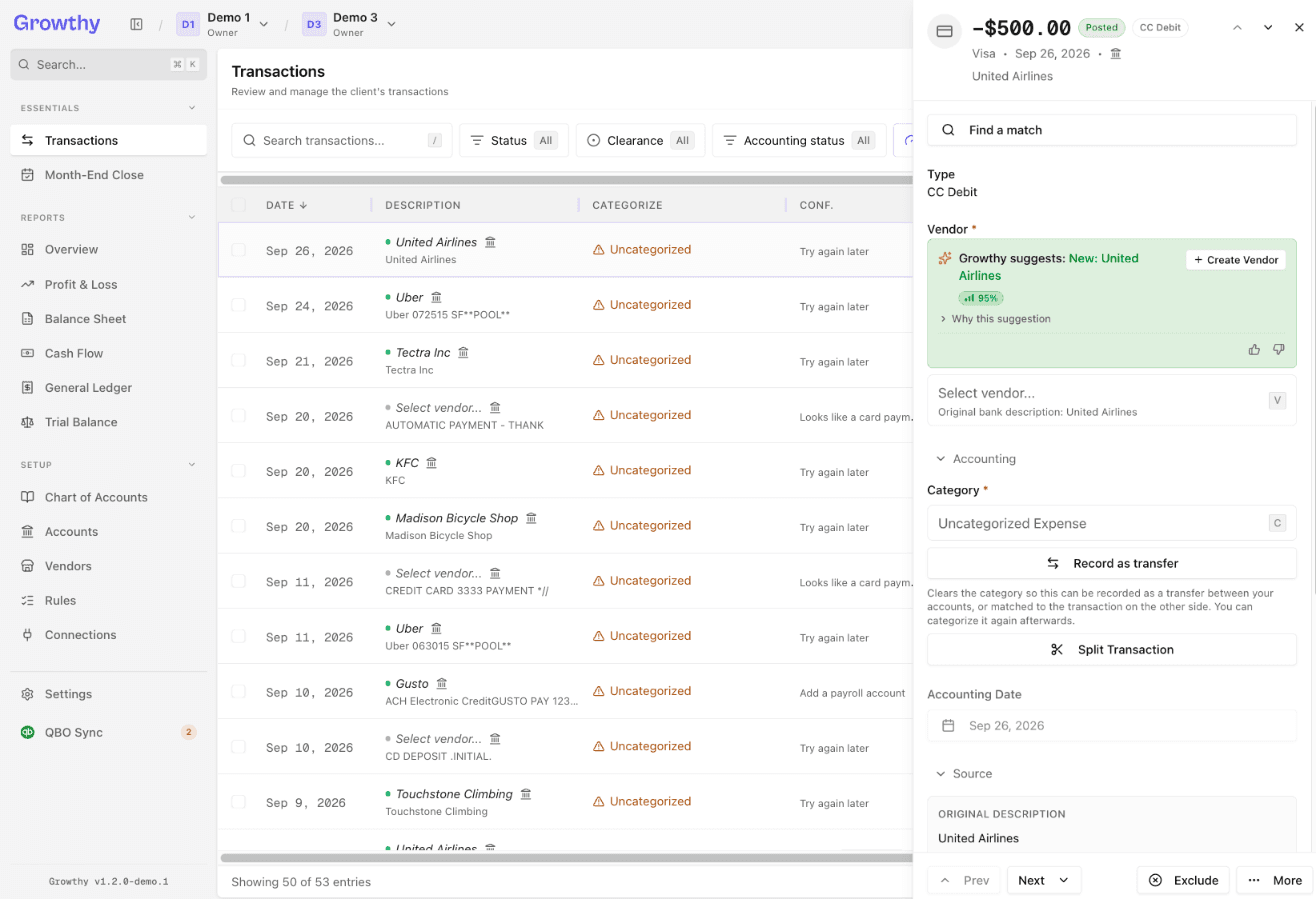
- Select the Category picker.
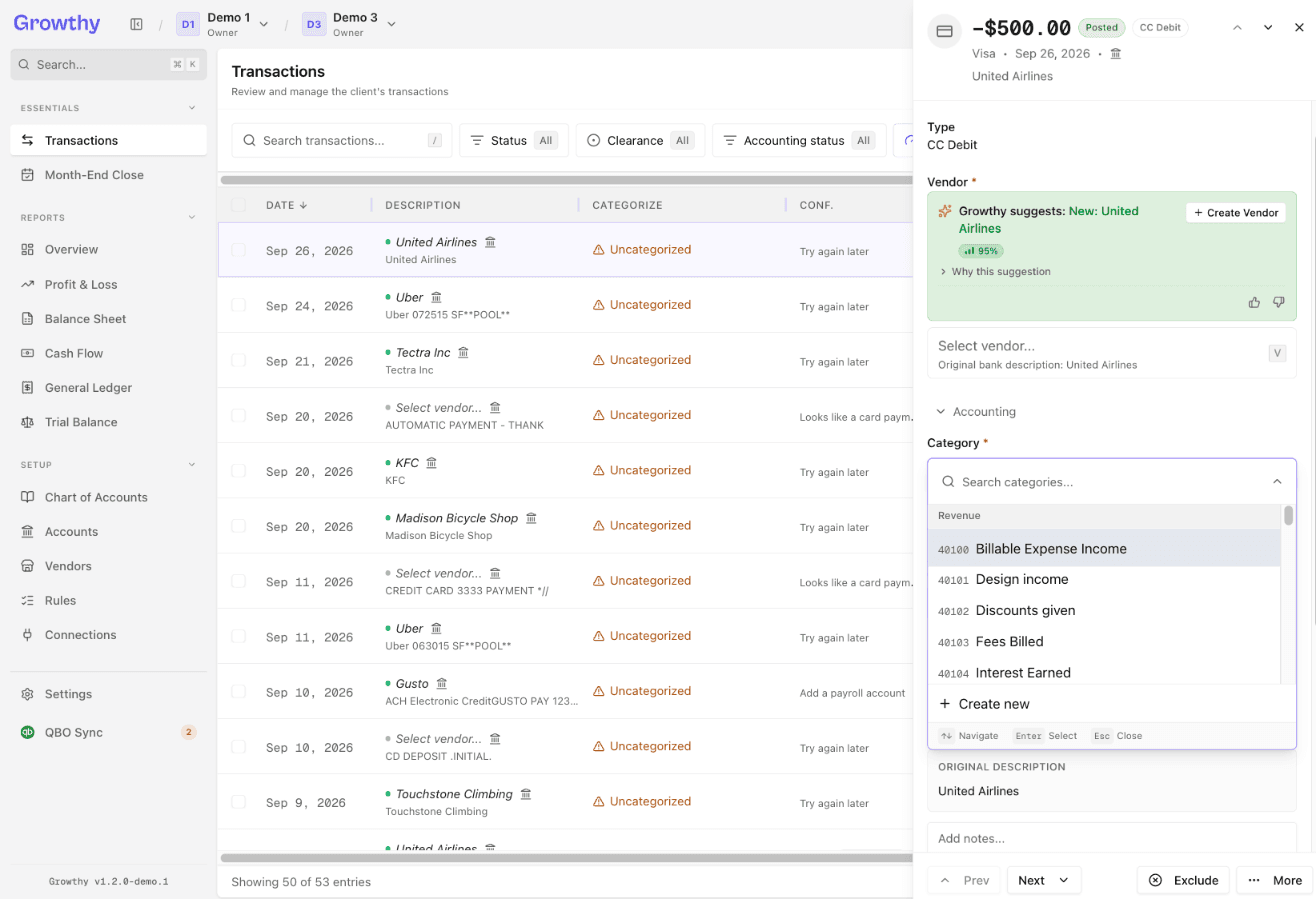
- Choose the correct category.
You can also correct a category directly from the transaction list: select Change Account from the transaction's row menu.
Was this helpful?