Connect a bank feed
On the Connections page, select Connect Bank to link your first bank, or Connect Another Bank to add more. Each bank card shows its status and latest sync, with Sync now and Disconnect actions.
Connect a bank feed so Growthy can import your bank and card transactions.
Steps
- Open the Connections page.
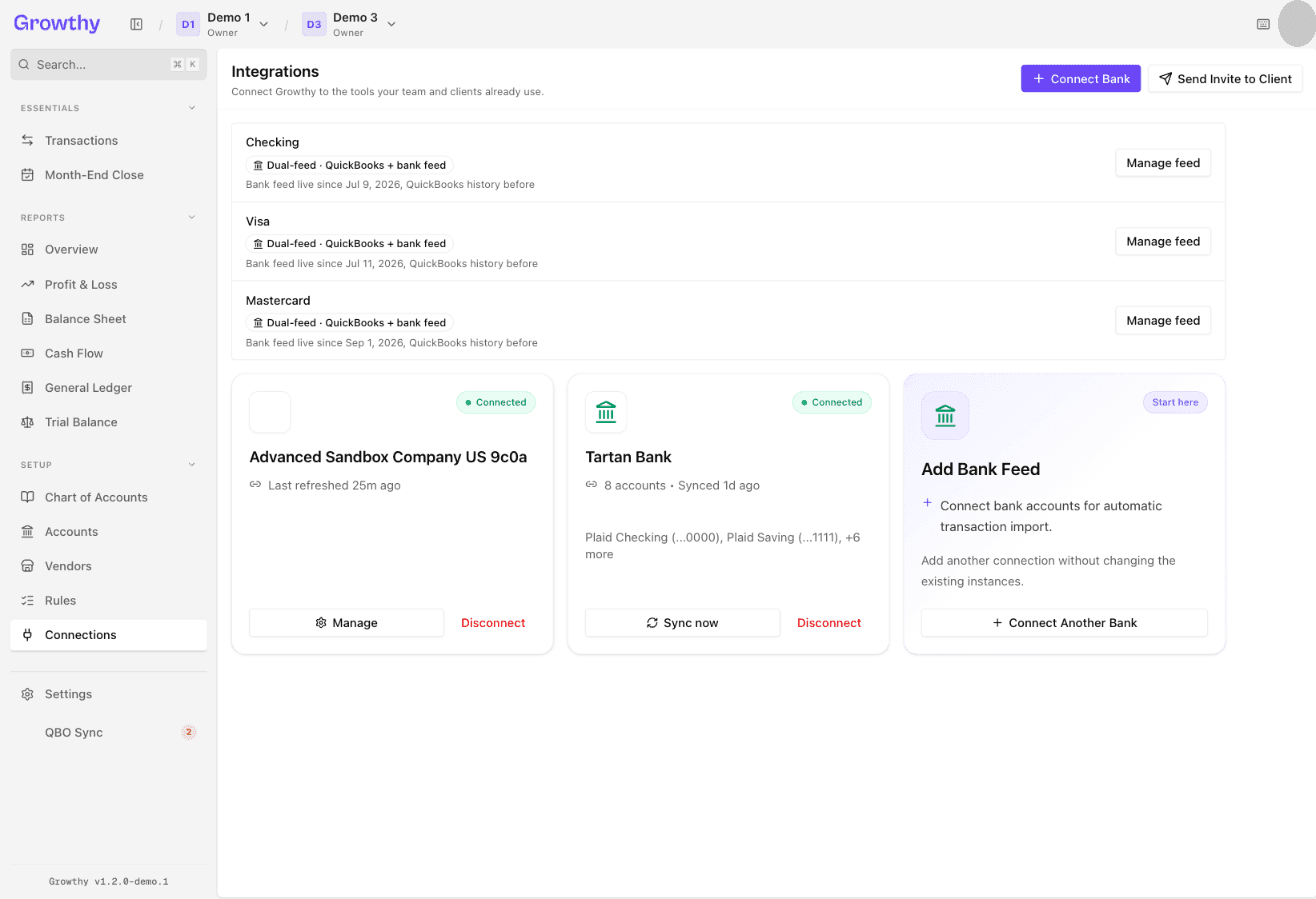
- Select Connect Bank to link your first bank account.
- Follow the on-screen prompts to sign in and choose your accounts.
- To add another bank later, select Connect Another Bank.
Each bank card shows a status (Connected, Syncing, Needs attention, or Not connected) and a line with its account count and latest sync, such as Synced {relative time}, Syncing now, Retrying…, Awaiting first sync, or Last sync failed. While a bank is connected, select Sync now to sync immediately or Disconnect to remove it. If the card shows Needs attention or Not connected, select the button it shows: Reconnect or Connect bank again.
Was this helpful?